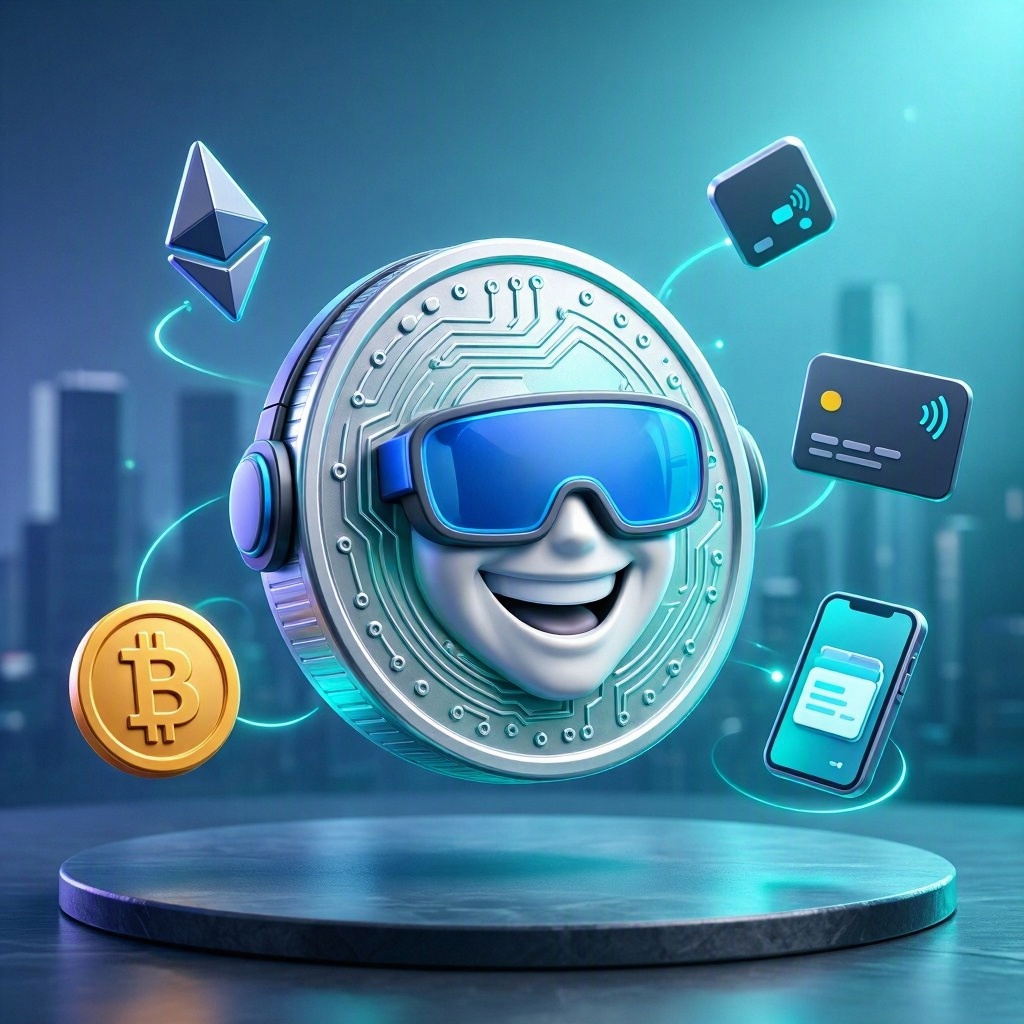
1. App Overview
App name: myPayPal 2.0
Tagline: The future of digital payments.
Category: Digital Payments
Elevator pitch: A cutting-edge digital payment platform integrating cryptocurrency and traditional payment options for seamless transactions.
Short description: myPayPal 2.0 allows users to manage traditional and crypto payments in one app with enhanced security and user experience.
Target platform: iOS, Android, Web
Target audience: Individuals and small businesses.
Age group: 20-50
Primary user persona: Tech-savvy users and entrepreneurs.
Core value proposition: Simplifies payment processing by offering a unified platform for multiple currencies.
Why users would download it: To manage all payment methods in one place.
Why users would continue using it: Regular updates and ongoing support improve user experience.
2. Problem Statement
Real user problem: Users struggle to manage multiple payment apps and wallets.
Who experiences it: Everyday users and small business owners.
Why it matters: Easier access to funds and payment options can improve financial management.
Current ways users solve it: Switching between various apps for different payment methods.
Problems with existing solutions: Fragmented experience leading to confusion and inefficiency.
Consequences of leaving the problem unsolved: Increased transaction times and potential financial losses.
3. Solution
How the app solves the problem: Combines traditional payment methods and cryptocurrencies into one easy-to-use interface.
Core workflow: Users select payment type, enter details, and confirm transactions.
Main features: Wallet management, transaction tracking, and payment notifications.
Unique features: Dual wallet feature allowing quick switch between currencies.
Automation opportunities: Automated reminders for bill payments.
Personalization: Customizable dashboard to focus on preferred currencies.
Main product advantage: Streamlined payment process with enhanced security features.
4. Target Users & Personas
Persona 1:
- Name: Rohan Patel
- Age: 35
- Occupation: Small Business Owner
- Background: Uses various payment apps for transactions.
- Goals: To simplify payment processes.
- Problems: Confusing multiple apps.
- Technology habits: Frequently uses mobile banking.
- Why they would use the app: Unified payment management.
- Adoption barrier: Learning curve of new software.
- Most important feature: Dual wallet management.
Persona 2:
- Name: Neha Sharma
- Age: 27
- Occupation: Freelance Graphic Designer
- Background: Frequently receives payments from international clients.
- Goals: To manage payments conveniently.
- Problems: High conversion fees.
- Technology habits: Uses multiple payment platforms.
- Why they would use the app: To reduce conversion fees.
- Adoption barrier: Concerns about security.
- Most important feature: Transaction tracking.
5. Core Features
MVP Features
- Wallet integration
- Transaction management
- Payment notifications
Version 1.1 Features
- Multi-currency support
- Expense tracking
- Automated bill payment
Future Features
- AI-driven transaction insights
- Social payments
- Loyalty rewards program
6. App Screen Flow
Splash → Onboarding → Login/Signup → Home → Wallet Overview → Transaction Details → History → Profile → Settings
7. UI/UX Design Direction
Design style: Clean and professional
Visual personality: Modern and trustworthy
Primary color: #007BFF
Secondary color: #6C757D
Accent color: #FFC107
Background color: #FFFFFF
Surface/card color: #F8F9FA
Primary text color: #212529
Secondary text color: #495057
Success/warning/error colors: #28A745 / #FFC107 / #DC3545
Recommended font: Open Sans
Heading/body typography: Medium for headings, regular for body
Button style: Sharp edges with subtle shadows
Card style: Clean lines and slight elevation
Border radius: 5px
Icon style: Flat design
Illustration style: Minimalist and straightforward
Shadow style: Soft shadows for depth
Spacing: Moderate padding
Navigation: Tab bar at the bottom
Dark mode: Yes, with a toggle
The design is aimed at professionals looking for efficiency and trustworthiness in their transactions.
8. Individual Screen UI Concepts
Splash Screen: Logo on a solid background; quick transition to onboarding.
Onboarding Screen: Slider explaining app benefits; swipe to navigate.
Home Screen: Overview of wallet balances and recent transactions; action buttons for payments.
Wallet Overview Screen: Detailed view of assets; option to add funds.
Transaction Details Screen: Comprehensive info on each transaction; clear confirmation buttons.
9. Developer / Technology Recommendation
Frontend technology: Flutter for cross-platform capabilities.
Backend technology: Ruby on Rails for rapid development.
Database: PostgreSQL for structured data.
Authentication: JWT for secure authentication.
Required APIs: Payment gateway APIs for transaction processing.
Hosting: Heroku for easy deployment.
Storage: AWS S3 for storing transaction records.
Analytics: Mixpanel for advanced analytics.
Notifications: OneSignal for push notifications.
Payment technology: Stripe for payment processing.
10. Technical Architecture
Frontend → API → Authentication → Backend → Database → External APIs → Storage → Notifications → Payments
11. Database Design
- Name: Users
- Purpose: Store user profiles and transaction history.
- Key fields: userId, name, email, balance
- Relationships: One-to-many with Transactions
- Name: Transactions
- Purpose: Record all payment transactions.
- Key fields: transactionId, senderId, receiverId, amount, date
- Relationships: Many-to-one with Users
12. Monetization
Best monetization strategy: Transaction fees
Free plan: Basic features with a small fee per transaction
Pro plan: Advanced features for $9.99/month
Business plan: Priority support and analytics for $29.99/month
13. MVP Development Plan
Phase 1 – Research
User surveys and competitive analysis.
Phase 2 – UI/UX
Create visual designs and prototypes.
Phase 3 – Backend
Set up database and APIs.
Phase 4 – Frontend
Build interfaces and integrate APIs.
Phase 5 – Integration
Connect frontend with backend.
Phase 6 – Testing
Perform usability and security tests.
Phase 7 – Beta Launch
Gather feedback from initial users.
Phase 8 – Public Launch
Launch app on all major platforms.
14. Developer Task Breakdown
Frontend
- Create splash and onboarding screens (P0)
- Develop wallet management interface (P1)
Backend
- Implement API for transactions (P0)
- Set up user authentication (P1)
Database
- Create users table (P0)
- Design transactions table (P1)
APIs
- Integrate payment gateway (P0)
- Set up notifications API (P1)
AI
- Not applicable (P2)
UI/UX
- Design intuitive interfaces (P0)
- Conduct user testing sessions (P1)
QA
- Write test cases for features (P0)
- Perform integration testing (P1)
DevOps
- Set up CI/CD (P1)
- Manage deployment (P0)
15. Development Estimate
MVP complexity: High
Number of major screens: 7
Development team: 5-7 members
Timeline: 4-6 months
Main technical challenge: Ensuring security across multiple payment systems.